
The Journey · Chapter 4 of 6 · 35 min
Be Your Own Bank
If your keys live on an exchange, you don't own Bitcoin. You own an IOU. This chapter teaches you to own actual Bitcoin.
Where you're going: By the end of this chapter, you'll have generated a wallet you control, backed up the seed properly, received a real (small) Bitcoin transaction, and cross-checked it on a block explorer. You'll have done self-custody. Optional: do it for real.
1. The Promise You Make to Yourself
Up until this chapter, you've been learning about Bitcoin. From here on, you can use it - but only if you're willing to take on the responsibility that comes with sovereign money.
The bargain is this: you, and only you, hold the keys. Nobody can take them. Nobody can freeze them. And nobody is going to help you if you lose them.
That's not a marketing line. It's how the math works. A Bitcoin address is derived from a private key, by way of its public key. The private key is a 256-bit number. Whoever has the number can sign transactions that spend the coins. There is no second factor. There is no recovery email. There is no customer service.
This is the deal. This chapter is about taking it seriously without being scared of it.
2. Custodial vs Self-Custody
Most people who "own Bitcoin" don't, technically.
When you buy bitcoin on an exchange - Coinbase, Kraken, Binance, Cash App - the exchange holds the keys. You hold a number in their database that says "you are owed X bitcoin." It's an IOU. It looks like Bitcoin on your screen, but legally and technically it's a claim against the exchange.
This is fine for some uses (trading, beginners, very small amounts). It is not Bitcoin's value proposition. Custodial bitcoin can be frozen by the custodian, seized by a government, lost in a hack, lost in a bankruptcy, withheld for KYC reasons, or simply unavailable when their servers are down.
You can't have the properties from chapter 2 - portable, scarce, sovereign - and trust a third party with your keys. The whole point was to remove the third party.
Self-custody means you generate and hold the private keys yourself. Your wallet software does this - it generates a random number, derives the keys, and shows you addresses. The number lives on your device (and a backup), not in anyone's database.
The trade-off is symmetric: with custody comes risk (not your keys, not your coins), and with self-custody comes responsibility (lose your keys, lose your coins). Bitcoin lets you choose; most other systems don't even give you the option.
3. Keys, Not Coins
The mental shift that matters most: you don't own coins. You own keys.
Bitcoin doesn't exist as files on your computer. It exists as UTXOs (see chapter 3) on the global ledger. Your wallet doesn't "contain" bitcoin in any meaningful sense - it contains the keys that authorize spending specific UTXOs on the ledger.
This is why:
- A wallet on a hardware device with no internet can still "have" bitcoin
- You can have the same wallet open on multiple devices (they're showing the same UTXOs)
- Restoring a wallet on a new device brings back the same balance once the wallet has scanned the chain for your addresses (the chain is the truth; the device just reads it)
When you "back up your wallet," you're backing up the keys - specifically, the seed they're derived from. If you have the seed, you can reconstruct all the keys, on any device, forever.
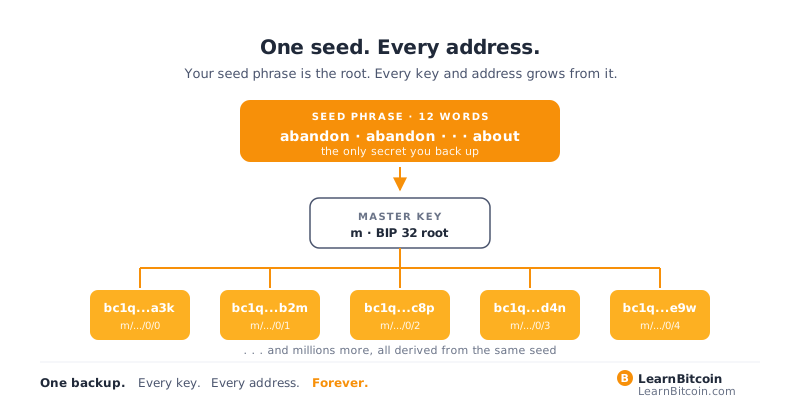
This is one of Bitcoin's most powerful properties and one of the easiest to underestimate.
4. The Seed Phrase
Modern Bitcoin wallets don't make you back up individual private keys. They give you a seed phrase - usually 12 or 24 English words.
It looks like this (don't use this one - it's a public example):
abandon abandon abandon abandon abandon abandon
abandon abandon abandon abandon abandon about
Those words encode a number. The number seeds a deterministic generator (defined in BIP 39 and BIP 32) that produces every key and address your wallet will ever need. From one seed, you get a tree of millions of addresses. They're all derived; only one secret matters.
A few facts that should change your behavior:
- Anyone with your seed phrase has your bitcoin. There is no second factor. There is no recovery. There is no "but they'd need your password too" - a wallet's password or PIN only locks that one app or device, and the words restore the wallet anywhere without it. The one exception is an optional passphrase, sometimes called the "25th word," that is mixed into the seed. If you set one, back it up as carefully as the words, because the words alone open a different, usually empty, wallet.
- 12 vs 24 words. Both are secure. 12 words = 128 bits of entropy; 24 words = 256 bits. Both are well beyond brute-force range. The choice is a matter of preference. (Defaults vary by device. As of October 2026, the Trezor Safe 5 defaults to a 20-word backup under a different standard, SLIP-39, and offers 12 or 24 words as a legacy option.)
- Never type your seed into a website. Never. Ever. Not your wallet provider's site. Not a help page. Not anywhere. The only places the seed should live are on your wallet device and on physical backups you created.
- Do not memorize it. Brains forget seeds, even ones you were sure you'd remember. Steel does not.
- Do not photograph it. Phones back up to clouds. Clouds get breached.
The seed phrase is not a password. It is the root of your entire Bitcoin existence. Treat it accordingly.
5. Wallet Types - When to Use Each
A "wallet" is just software that manages keys. The categories matter more than the brands:
- Hot wallet - keys live on an internet-connected device (phone, laptop). Convenient. Higher attack surface. Best for small, working-balance amounts.
- Cold wallet - keys live on a device that's never connected to the internet. More effort to use. Much harder to compromise. Best for long-term holdings.
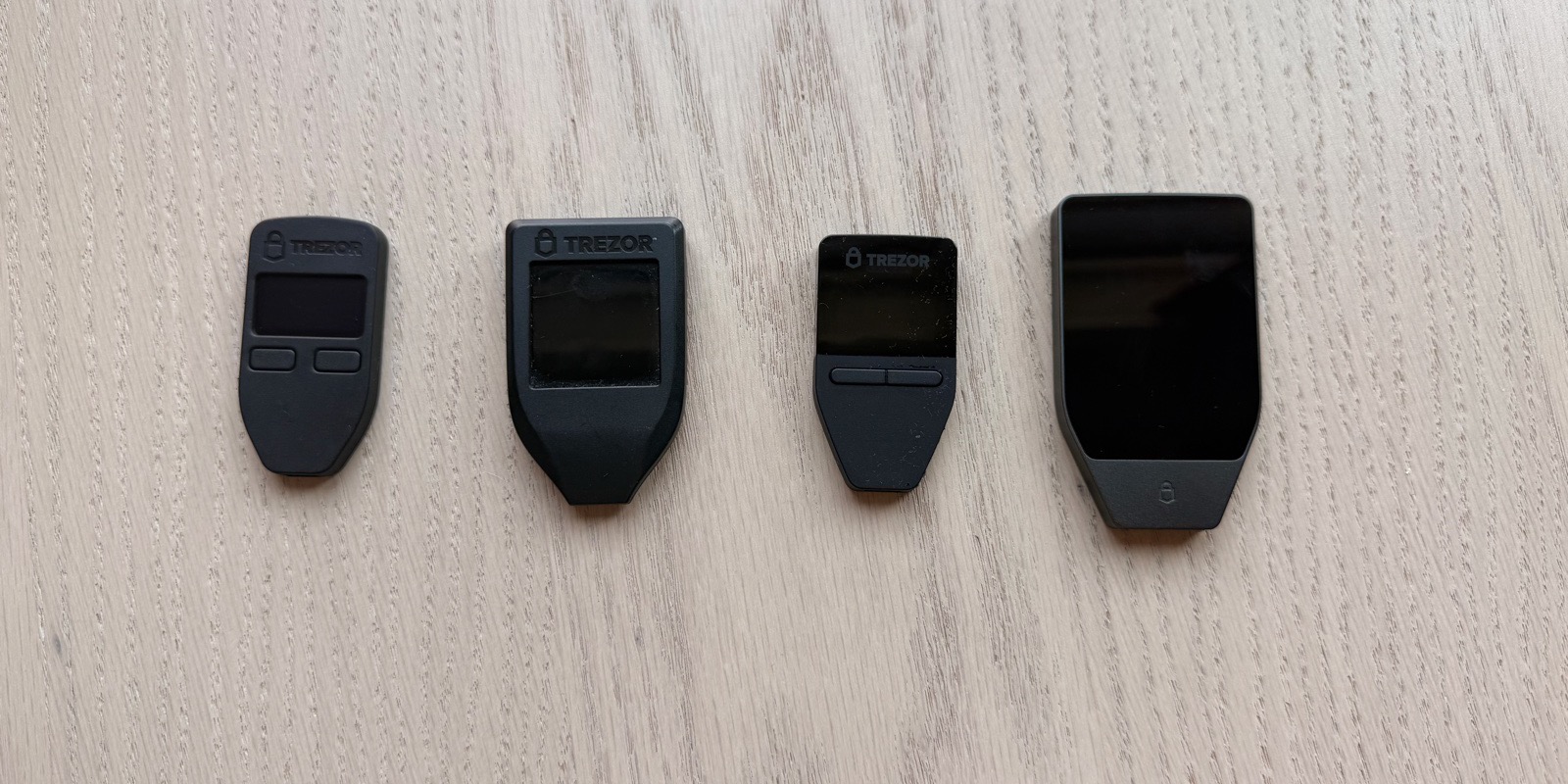
- Hardware wallet - a small dedicated device (pocket-sized, some no bigger than a USB stick) that holds keys and signs transactions, while a companion app on your phone or laptop handles everything else. The keys never leave the hardware. This is the standard recommendation for any amount you'd be sad to lose.
- Paper wallet - keys written on paper, no device at all. Cheap. Easy to mess up. We don't recommend it as a primary backup anymore (lots of subtle ways to get it wrong) but as a secondary backup of a seed, it's useful.
- Multisig - a wallet where spending requires multiple keys, often held in different places. Eliminates single-point-of-failure. The right answer for serious balances. We'll get to it in chapter 6.
The right pattern for most people:
- A hot wallet on your phone for small everyday amounts
- A hardware wallet for the rest
- A multisig setup once your stack justifies the complexity
You can mix and match. Wallets are just tools.
6. Picking Your First Wallet
We don't sell wallets. We don't take affiliate commissions. The names below are examples of what exists as of October 2026, not endorsements. Whatever you consider, check it against the "Why Bitcoin-only matters" and "What to avoid" notes further down.
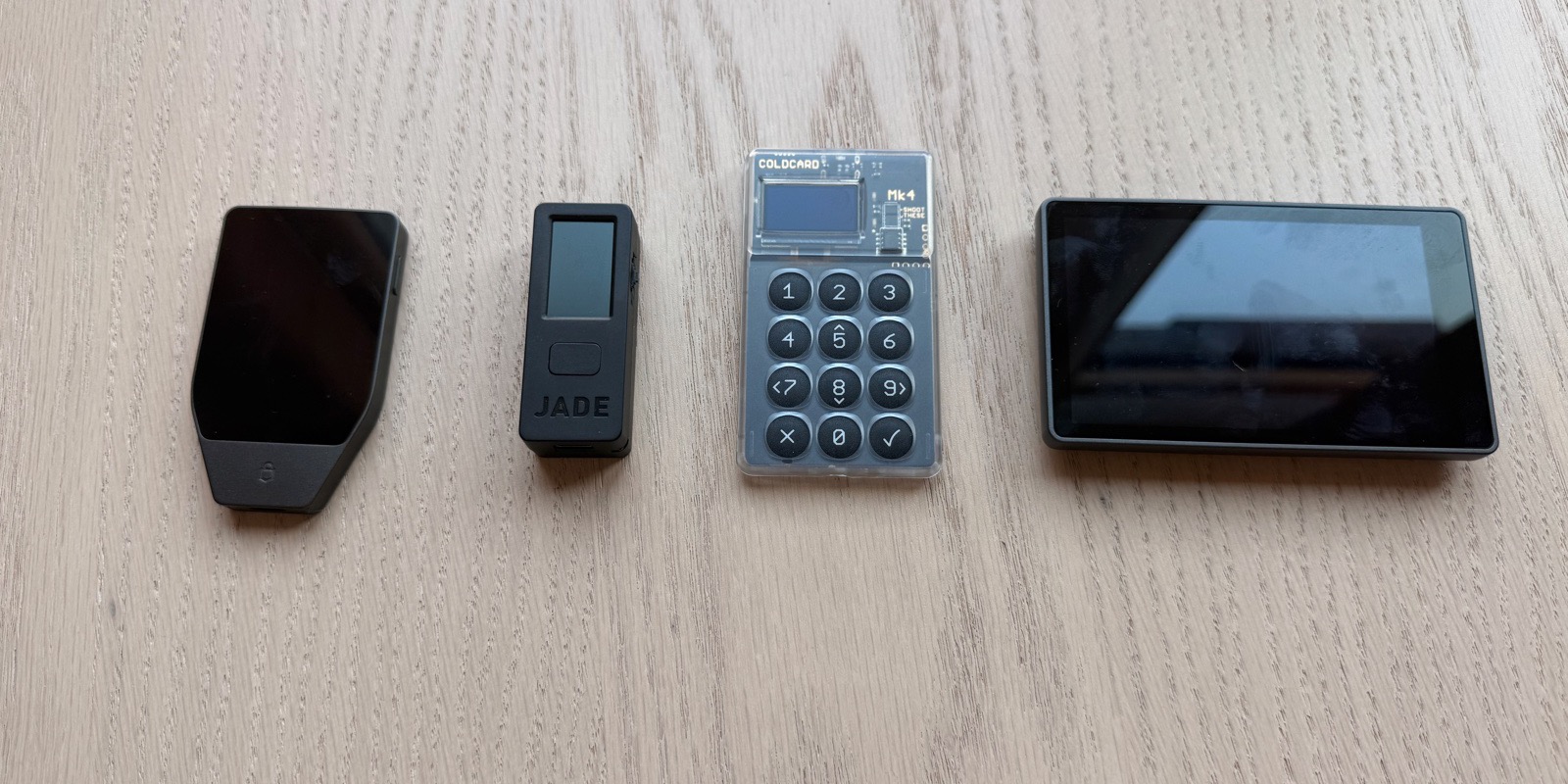
Free, open-source mobile wallets (hot, beginner-friendly), for example:
- BlueWallet (iOS, Android) - Bitcoin-only, open source
Hardware wallets (cold, serious balances), for example:
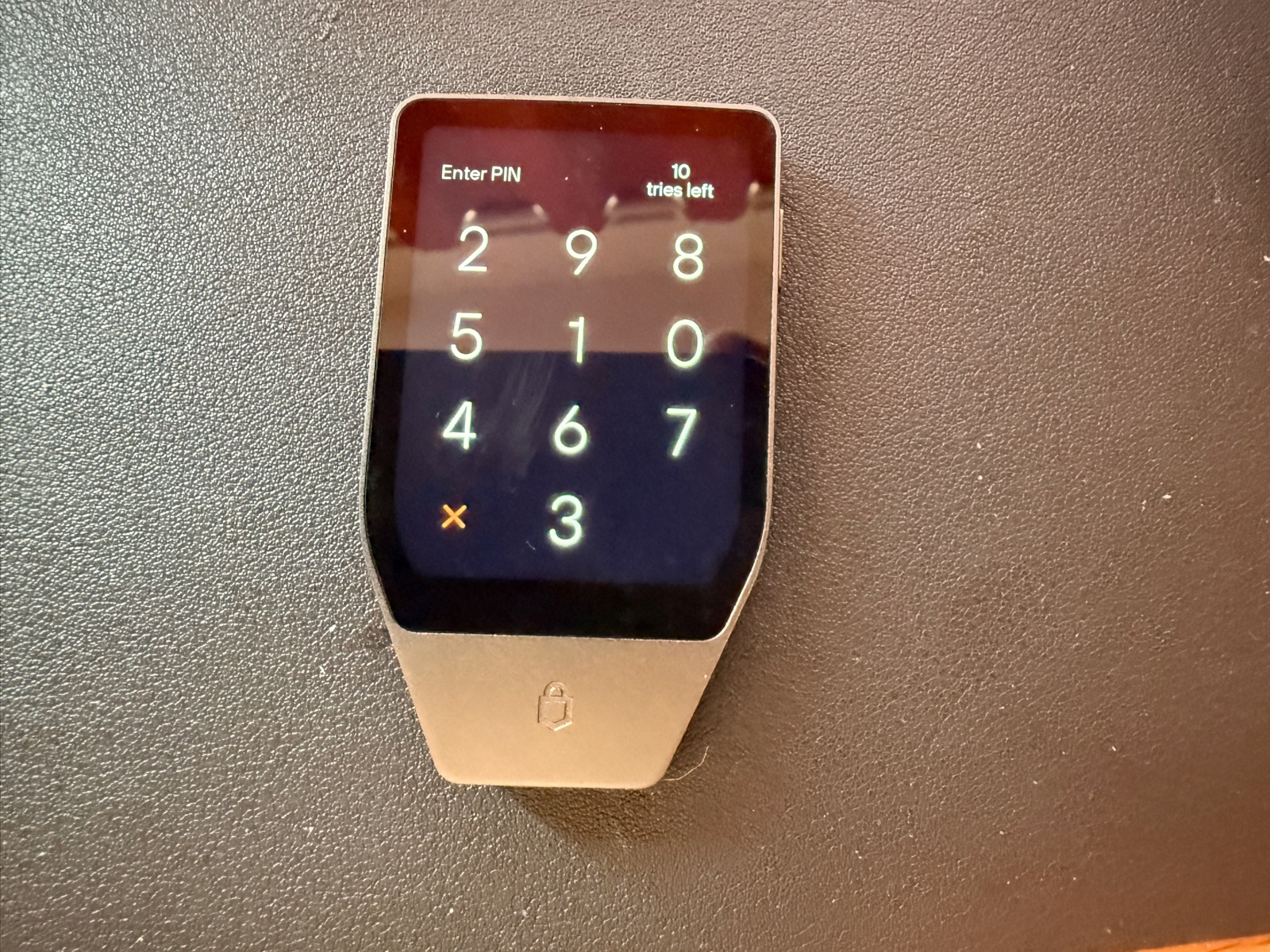
- Trezor Safe 5 - multi-coin by default, also sold with Bitcoin-only firmware, which any Safe 5 can run
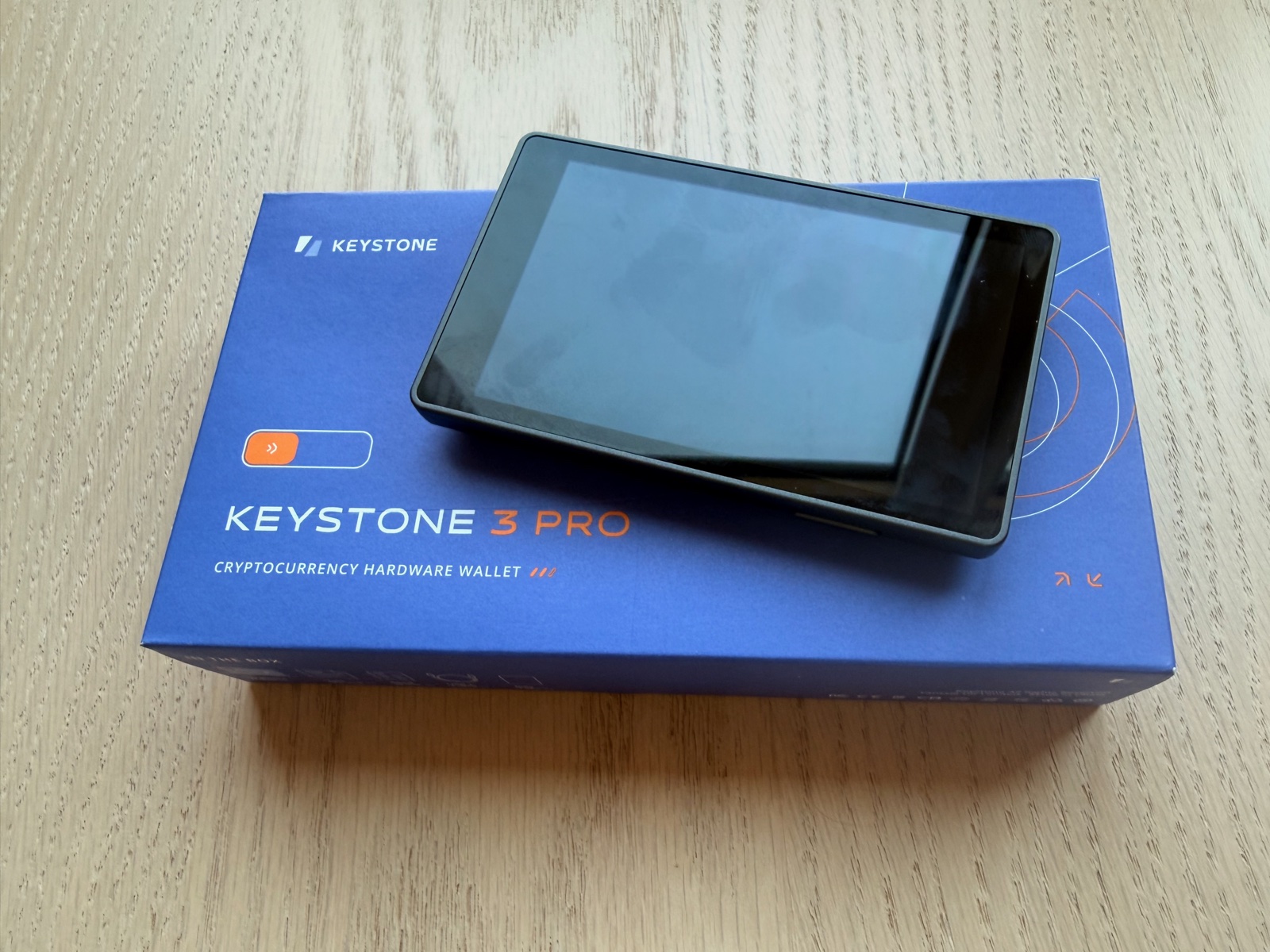
- Keystone 3 Pro - multi-coin by default, with a separate Bitcoin-only firmware; signs mostly by QR code, though it can also connect over USB to some wallet apps; fingerprint sensor, large 4-inch touchscreen
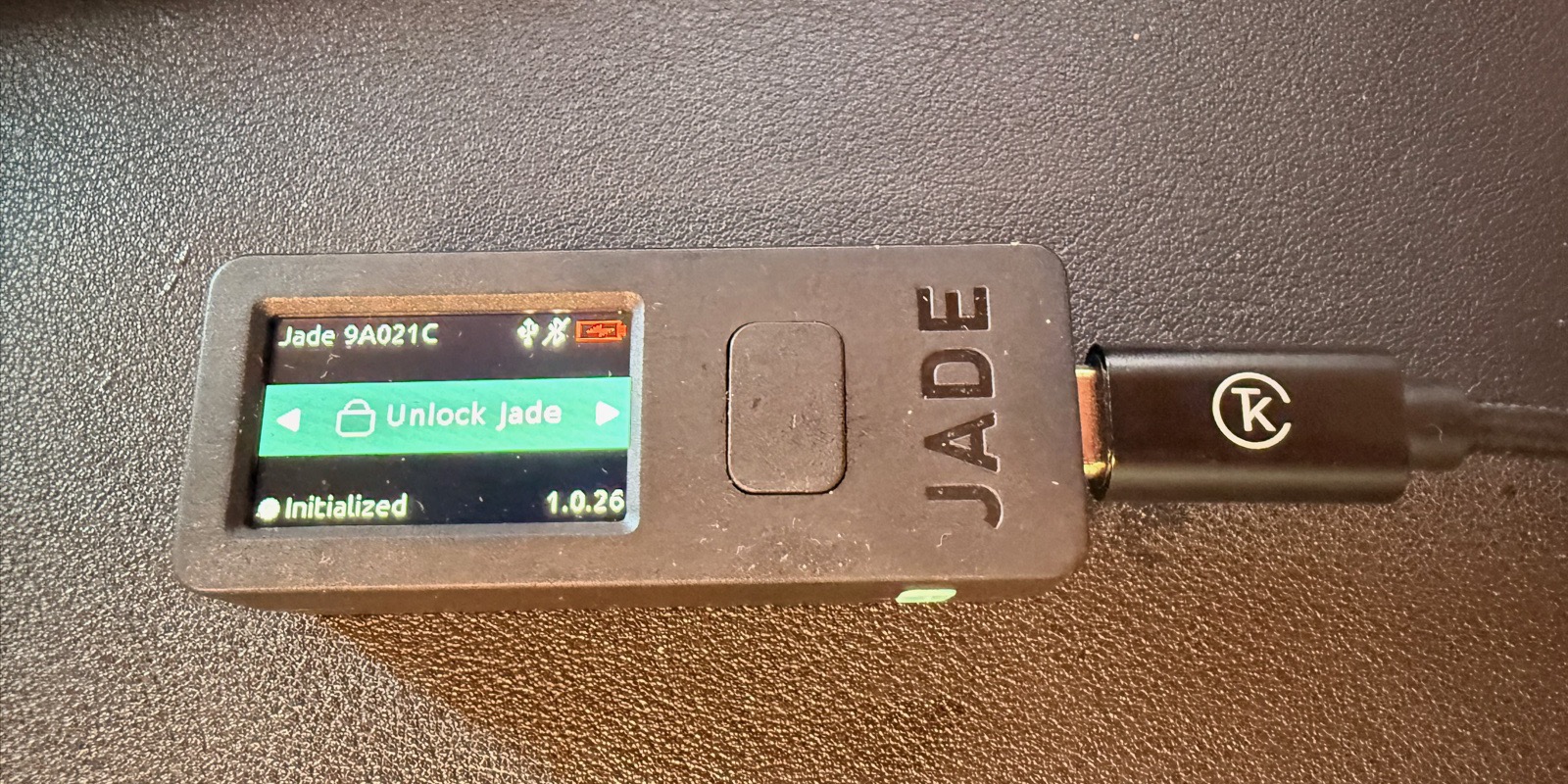
Coldcard was on this list until July 2026, when a firmware entropy flaw left seeds guessable and wallets were drained at scale (CoinDesk's report has the details). We removed it the week the drains began.
Coinkite, which makes Coldcard, says in its advisory that the flaw affects seeds generated on Mk2 and Mk3 firmware 4.0.1 (March 2021) through 4.1.9, and on Mk4, Mk5 and Q firmware older than the fixed versions. If your seed came from one of those and you didn't mix in at least 50 dice rolls of your own, rolled in private, treat it as compromised. Move the funds to a new seed made on a second device or on the same Coldcard once its firmware is updated, following the advisory's steps.
Why "Bitcoin-only" matters: a wallet that supports 50 cryptocurrencies carries code and libraries for all 50, and every one of them is another place where things can go wrong. Bitcoin-only firmware has fewer features but a smaller codebase that is easier to audit. If you're using a hardware wallet for Bitcoin, run Bitcoin-only firmware. (Most of the above support it.)
What to avoid for self-custody:
- Any wallet that asks you to upload your seed for "backup"
- Any wallet without published source code
- Any "wallet" that's actually a custodial account inside a brokerage or payments app
- Browser extensions, for any serious amount - too much attack surface
The wallet ecosystem moves quickly, so the example names above will date faster than the wallet categories in section 5.
7. Backing Up Properly
Your seed phrase needs to survive: fire, flood, theft, loss, your own forgetfulness, and a moderately determined adversary. That sounds dramatic until you realize it has to last decades.
The standard approach:
- Write the seed on paper, then transcribe to metal. Stamped or engraved steel plates (sold under many brand names, or a do-it-yourself washer-and-stamp setup) hold up to fire and water far better than paper, but not every metal product does. In Jameson Lopp's stress tests, 10 of the 75 products tested as of October 2026 got an F for heat, so look up how a product did before you buy it. Keep the paper copy as a secondary backup, never as your only one.
- Store backups in at least two physically separate locations. A safe at home plus a safe-deposit box, or two homes, or one location plus a trusted family member's. The goal is that no single fire or burglary loses both copies.
- Verify the backup. Before you put any meaningful amount in the wallet, wipe the device and restore from your seed. If the restored wallet shows the same addresses, the backup is good. This is the only way to know the backup works.
- Document for inheritance. Write a sealed letter for your heirs that explains where the backups are, what software to install, and what addresses to expect. Don't put the seed itself in the letter; put instructions for finding it.
We've made printable seed-backup forms for both 12-word and 24-word seeds, available on this site. Use them or your own format - what matters is consistency and durability.
One more thing. Do not split your seed phrase across multiple locations as a security measure ("first 6 words here, last 6 words there"). This is called seed splitting and it provides much less security than you'd expect - losing one location loses everything, and whoever finds one half has far less left to guess. Half of a 12-word seed leaves about 2^62 possibilities instead of 2^128 (the math). If you want geographic redundancy for advanced setups, use multisig (chapter 6) or Shamir's Secret Sharing, not seed splitting.
8. Receiving Your First Transaction
This is the moment.
- Open your wallet (we'll assume you picked one from section 6 and set it up).
- Generate a fresh address. Every wallet has a "Receive" button. Click it. The wallet derives a new address from your seed and shows it to you, usually as a QR code and a string starting with
bc1. - Send a small amount to that address. From an exchange, another wallet, anywhere. Five or ten dollars worth of sats. Don't send your life savings to a brand-new wallet you've never used.
- Watch the mempool. Your wallet will show "unconfirmed" as soon as the sender broadcasts the transaction and it enters the mempool. Blocks arrive every 10 minutes on average, but the gap between them is random. If the fee is high enough for the next block, the first confirmation usually comes within 20 minutes, and occasionally takes longer. Six confirmations take about an hour on average.
- Cross-check the receive address externally. Open ChainQuery.com/address/ and paste your address. You should see the same balance and the same incoming transaction. Two independent views of the same chain. This is a cross-check, not full verification, because you are still trusting someone else's node, and the explorer learns which address you looked up. Running your own node (chapter 6) is how you verify without trusting anyone.
Congratulations. You just did self-custody.
The bitcoin you just received is yours in a way that custodial bitcoin never was. No exchange can freeze it. No government can seize it without your private key. You can move it anywhere, anytime, on a Sunday at 3 a.m., for any reason. That's the whole point.
9. Sign a Message - Prove You Own It
Here's a useful trick: you can prove you control an address without moving any coins.
Bitcoin supports message signing. Your wallet uses your private key to produce a signature on an arbitrary text message. Anyone with the signature, the message, and your address can verify the signature is valid - proving you have the key.
How:
- In your wallet, find "Sign message." (Many wallets have it, sometimes behind an advanced setting; some mobile wallets leave it out.)
- Enter a message: "I control address bc1qexampleaddress. Today's date is YYYY-MM-DD."
- Sign. You get a base64 blob.
- Anyone can paste the (message, signature, address) triple into a verifier, such as a wallet's "Verify message" feature, and they will see "valid" or "invalid." The original signing format only covers old-style addresses that start with 1, though, and as of October 2026 Bitcoin Core's verifymessage RPC accepts only those. Wallets sign for bc1 addresses in other formats, such as BIP 137 or BIP 322, and not every wallet uses the same one, so check the signature with a wallet that supports the format it was signed in.
This is how you prove ownership of an address to an insurance company, an inheritance lawyer, or a future suspicious you. No coins move and no fee is paid. The signature is portable, but it carries no timestamp. A date typed into the message is only a claim, because whoever holds the key can sign the same words at any time.
10. The Common Ways People Lose Bitcoin
Honest list, ordered by what shows up most often in incident postmortems and exchange compromise reports. The ordering is editorial - exact frequencies aren't published anywhere reliable.
- Leaving funds with an exchange or lender. The company goes bankrupt (Mt. Gox, FTX, Celsius, BlockFi). Withdrawals freeze, and customers wait months or years for whatever the bankruptcy returns. Mt. Gox collapsed in February 2014 and began repaying creditors in bitcoin in July 2024 (the full story).
- Phishing the seed. Fake support reps, fake wallet updates, fake "verify your wallet" pages. No legitimate wallet, ever, asks you to type your seed online. If it does, it's a scam.
- Losing the seed. Single backup, single location, single fire.
- Buggy or malicious wallet software. Use audited, open-source wallets. Verify download signatures from the publisher when possible.
- Wrong derivation path / address type. You restore to a wallet using a different default than the one that generated it, see "0 BTC," panic. Less common with modern wallets but happens. Solution: try restoring with each common standard (BIP 84 for native SegWit, BIP 86 for Taproot, etc.) before assuming theft.
- Sending to the wrong address. Bitcoin transactions are irreversible. Always check the first and last several characters of an address before sending. Better, send a small test first.
- Inheritance failure. Owner dies, heirs have no idea where the seed is. Common; preventable; document.
The pattern is mostly operational, not technical. The cryptography is not the failure point. You are. So is everyone. Plan accordingly.
11. Your Milestone
Before you move on to chapter 5, do these four things:
- Pick a wallet (mobile is fine for now; hardware once you've got hands-on confidence)
- Generate a seed and back it up on paper and metal
- Receive a small amount (a few dollars' worth of sats; not your savings)
- Sign a message proving you control the receiving address (if your wallet offers message signing; see section 9)
That's it. You've done self-custody. You're no longer dependent on an exchange or a custodian to hold the keys to your money. Whether or not you go bigger from here is your call.
Pro tip: The hardest part of self-custody isn't technical, it's psychological. The first time you hold a real seed you're solely responsible for, it feels heavy. That weight is the actual product of Bitcoin - sovereign ownership. People who claim self-custody is "too hard" mostly mean it feels heavy. They're not wrong. They're just not seeing the trade.
Go deeper
- Mt. Gox to FTX: The Custody Graveyard A decade of crypto custodians that lost their customers' coins, from Mt. Gox to FTX, and the honest case for holding your own keys instead.
- Seed Backup Strategies Twelve words is your wallet. Lose them and you lose your bitcoin. Here is how serious people back them up.
- Key Space 2^256 possible private keys. Trying them all would keep every computer on Earth busy for far longer than the universe has existed.
Corrected
-
Was: The chapter told readers to check a bc1 signature with Bitcoin Core's verifymessage, which accepts only addresses starting with 1, and said a signed message is anchored in time. It also said customers' funds are gone when an exchange goes bankrupt, and described the Jade hardware wallet as having a secure element.
Now: It explains that wallets sign for bc1 addresses in other formats, such as BIP 137 or BIP 322, so the check needs a wallet that supports the same format, and that a signature carries no timestamp. Mt. Gox, which collapsed in February 2014, began repaying creditors in bitcoin in July 2024, and Jade uses a PIN server that Blockstream calls a virtual secure element in place of a secure-element chip. Details
Sources
- BIP 39 - Mnemonic seed phrases, word checksum and the optional passphrase (Bitcoin Improvement Proposal)
- BIP 32 - Hierarchical deterministic wallets
- BIP 141 - a native SegWit (bc1q) address commits to the hash of a public key
- BIP 84 - derivation scheme for native SegWit (P2WPKH) wallets
- BIP 86 - derivation scheme for single-key Taproot (P2TR) wallets
- Trezor Safe 5 FAQ - Bitcoin-only firmware, secure element, 20-word SLIP-39 backup as the default, 12 or 24 words as a legacy option
- Trezor firmware changelog - first releases for Model One (2014), Model T (2018), Safe 3 (2023), Safe 5 (2024)
- BlueWallet - a Bitcoin-only, free and open-source wallet
- Keystone - Keystone 3 Pro product page (4-inch touchscreen, fingerprint authentication)
- Keystone 3 Pro firmware 1.7.4 release notes (October 2024) - BTC signing over a USB connection
- Keystone 3 Pro firmware 2.0.8 release notes (April 2025) - separate BTC Only firmware
- Blockstream - Jade is open source, for Bitcoin and Liquid, with a virtual secure element
- Coinkite - Coldcard security advisory: affected firmware, fixed versions and migration steps (2026)
- CoinDesk - Coldcard flaw drains 594 BTC in a 25-minute sweep (July 31, 2026)
- Jameson Lopp - metal seed backup stress tests (as of October 2026, 10 of 75 products got an F for heat)
- Bitcoin Core v31.1 - 10-minute block target (nPowTargetSpacing)
- Bitcoin Core v31.1 (July 2026, the latest release as of October 2026) - verifymessage only accepts legacy (1...) addresses
- BIP 322 - generic signed messages; the original format only works for 1... addresses
- BIP 137 - message signatures for SegWit addresses
- Mt. Gox - application for civil rehabilitation (February 28, 2014)
- Mt. Gox Rehabilitation Trustee - first repayments in bitcoin and Bitcoin Cash (July 5, 2024)
- Bitcoin Privacy Best Practices (PDF, this site)
- 12-word seed backup form (PDF, this site)
- 24-word seed backup form (PDF, this site)
Published . Revised . Fact-checked . One correction logged for this page.
Edit this page on GitHub